Self-directed WordPress debugging lab
I reproduced a PHP fatal error in a custom WordPress shortcode, traced the failure to a specific plugin line, and restored the page by correcting the callback.
The Problem
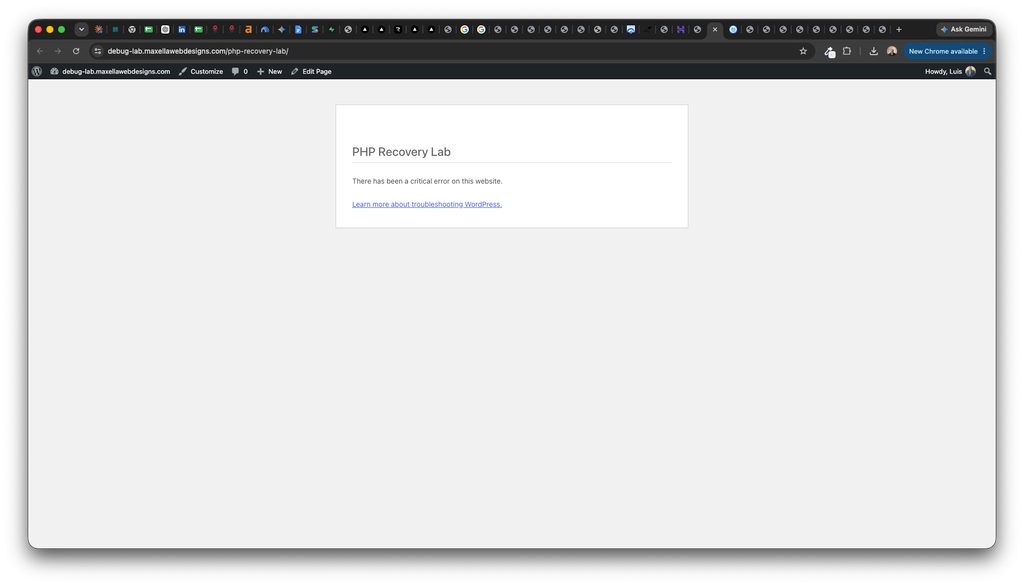
The PHP Recovery Lab page initially displayed a confirmation message. After introducing a call to an undefined function, the page displayed WordPress’s critical-error message instead.
The deliberate error occurred when WordPress processed the test shortcode.
My Investigation
I enabled WordPress debugging and error logging while keeping technical error details hidden from visitors.
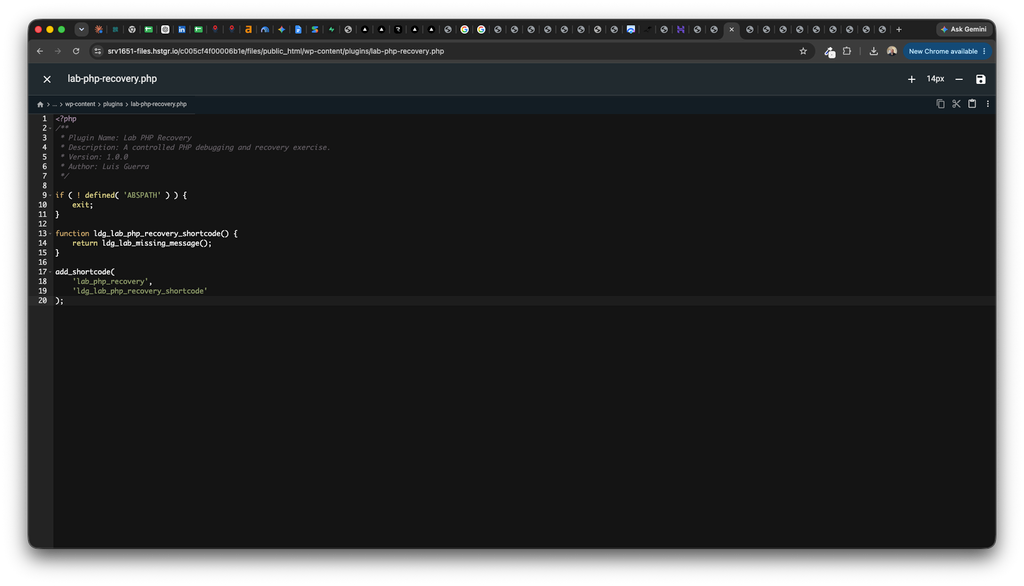
I inspected the error log’s stack trace, which pointed to line 14 of the custom plugin file, lab-php-recovery.php. That line called ldg_lab_missing_message(), a function that had not been defined.
This identified the failing statement inside the shortcode callback.
The Fix
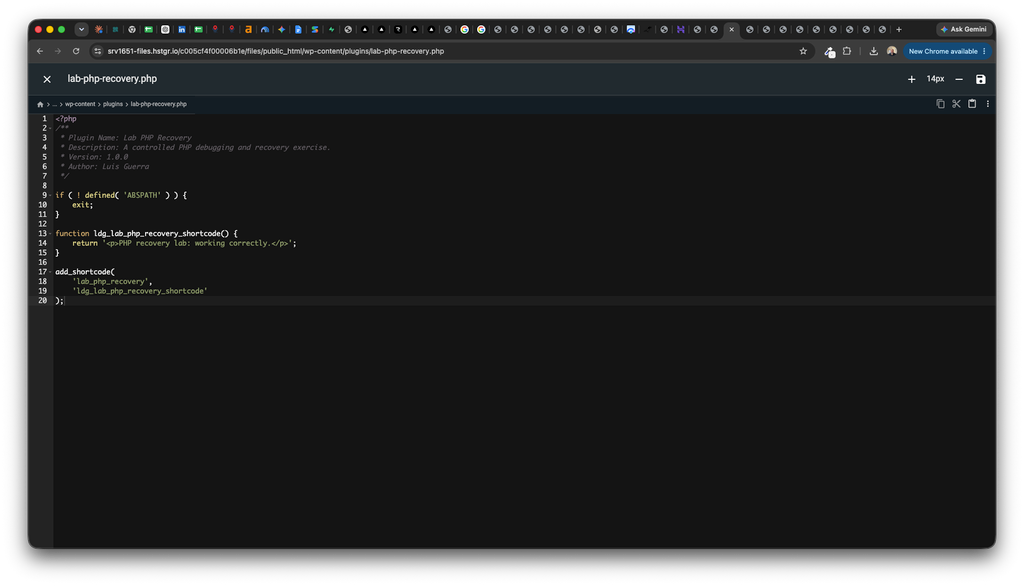
Using Hostinger File Manager, I replaced the undefined-function call with a return statement containing the intended confirmation message.
I saved the corrected plugin file and reloaded the test page.
Verification and Result
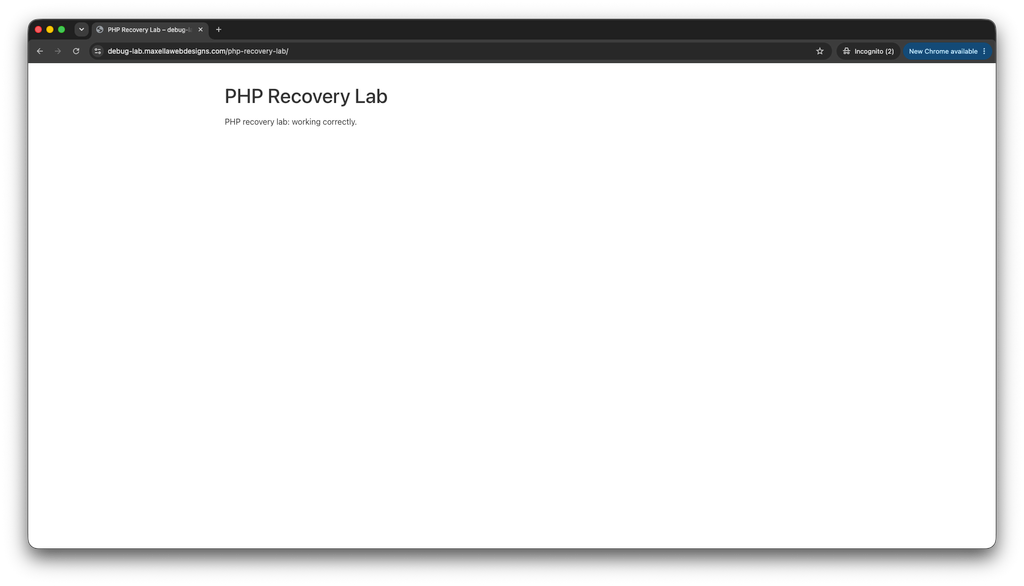
The page displayed “PHP recovery lab: working correctly.” again. I also opened the page in an Incognito window to confirm it worked without an authenticated WordPress session.
After checking the log for new occurrences of the error, I disabled WordPress debugging and removed the temporary debug log from the server.
Skills Demonstrated
- Configuring WordPress error logging
- Reproducing a controlled PHP runtime error
- Reading a stack trace to locate failing code
- Identifying an undefined-function call
- Correcting a custom plugin through hosting file access
- Verifying recovery and cleaning up debugging settings
Project Environment
WordPress, Hello Elementor, Gutenberg, a custom PHP shortcode plugin, WordPress debug logging, and Hostinger File Manager.
This error was intentionally introduced on a dedicated test site for training and portfolio demonstration. The recovery involved correcting my own practice plugin.