Self-directed WordPress debugging lab
I used two custom practice plugins to reproduce and diagnose a CSS conflict that hid a contact button. I traced the issue to a specific declaration and corrected the plugin’s source code.
The Problem
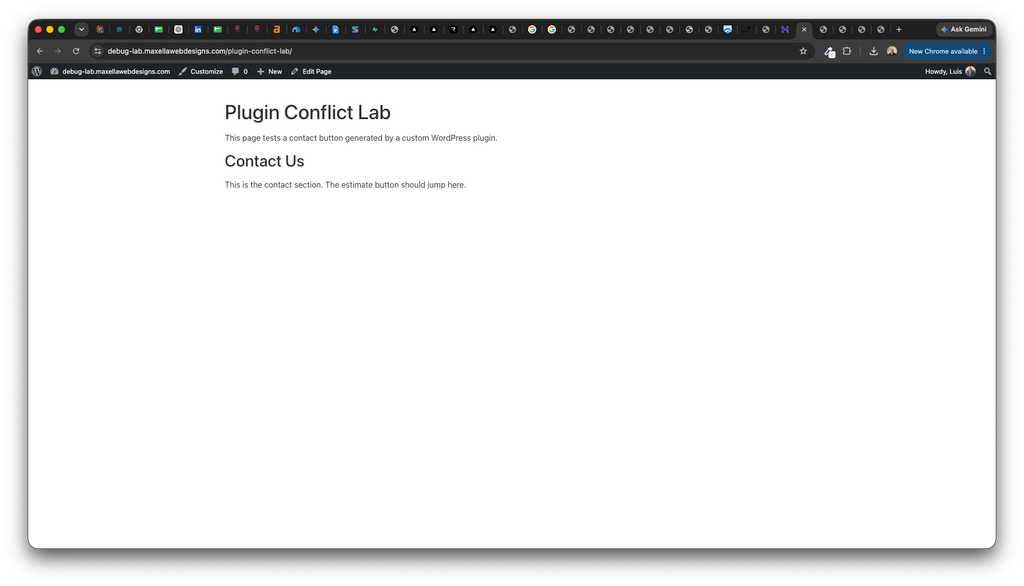
A contact button displayed correctly when the Lab Contact Button plugin was active. After activating Lab Display Styles, the button disappeared while the surrounding page content remained visible.
Isolating the Conflict
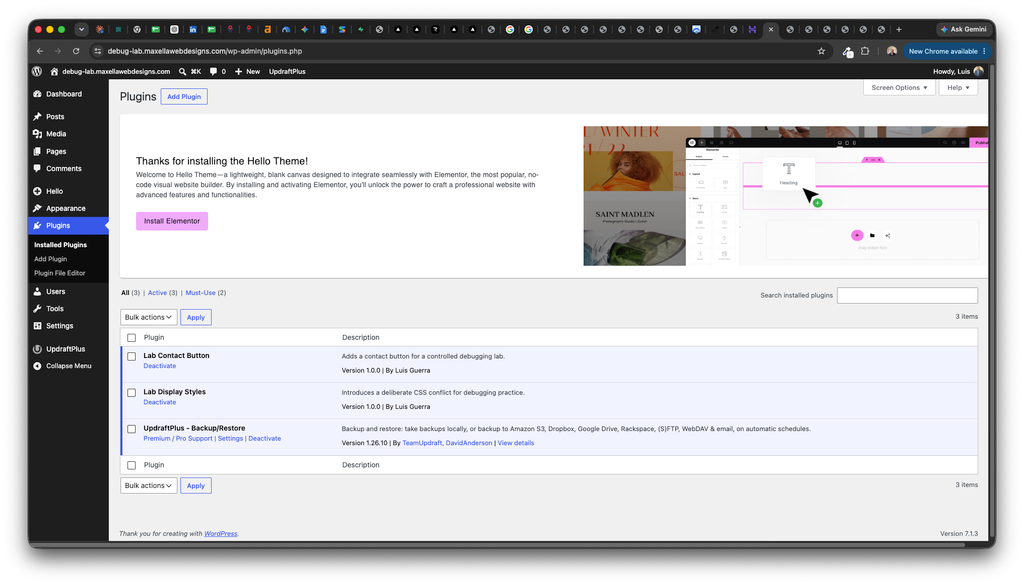
I tested the plugins individually by deactivating Lab Display Styles while leaving Lab Contact Button active, then reactivating it and checking the page again.
This test helped isolate the plugin responsible for the visibility issue.
Finding the Root Cause
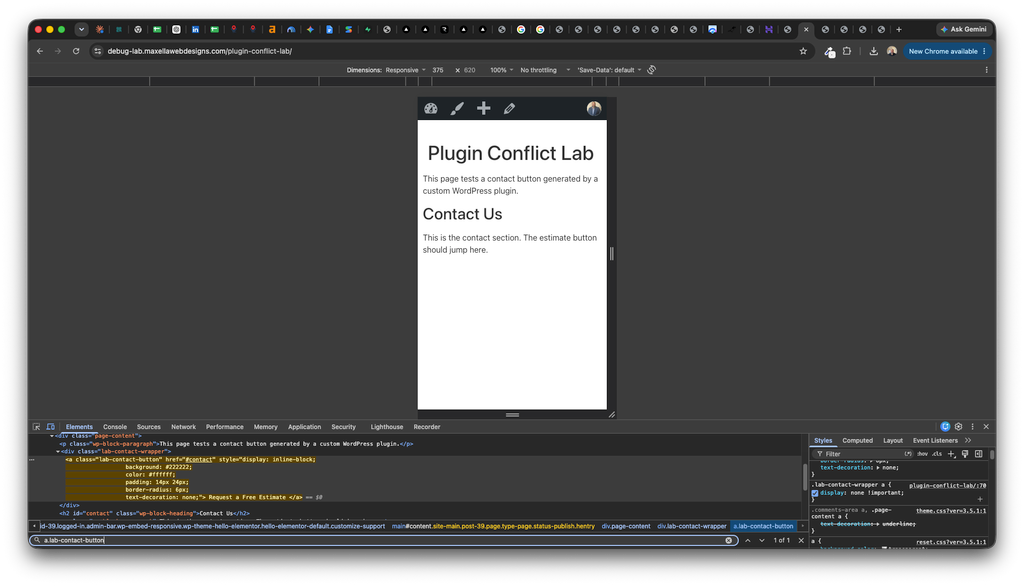
Using Chrome Developer Tools, I located the button’s HTML element. The button was still present in the page, but a CSS rule from Lab Display Styles hid links inside its wrapper.
The declaration display: none !important overrode the button’s inline display: inline-block styling.
I temporarily disabled the hiding declaration in Developer Tools. The button immediately reappeared, confirming the cause.
The Permanent Fix
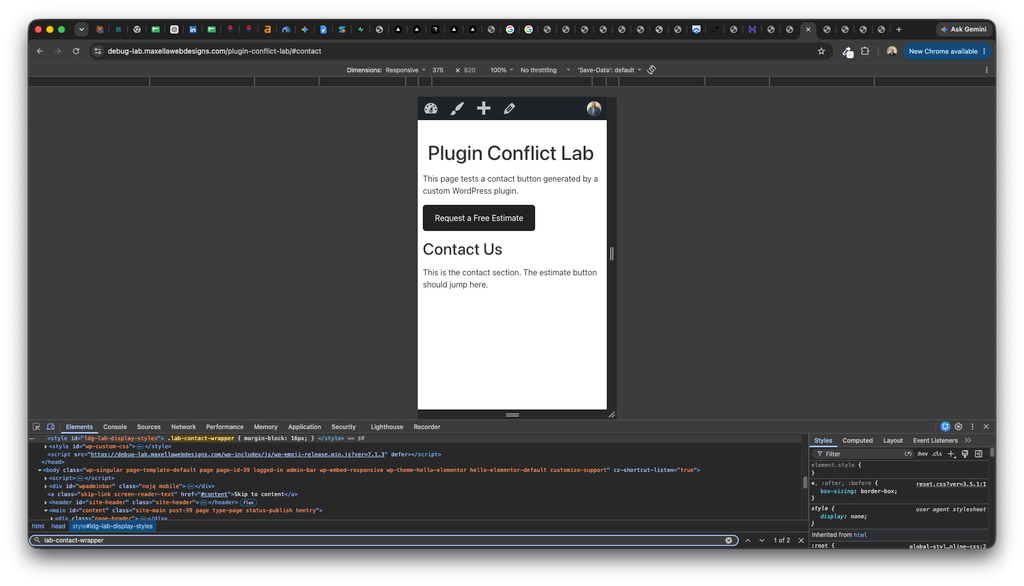
I edited the custom Lab Display Styles plugin through the hosting file manager. I removed the rule that hid links and replaced it with spacing applied to the wrapper.
The correction addressed the conflict at its source without adding another override.
.lab-contact-wrapper {
    margin-block: 16px;
}
The Result
The updated stylesheet applies spacing to the wrapper, and the contact button displays correctly in the 375-pixel mobile view. Both practice plugins remain active.
The button links to the page’s contact section using the #contact anchor.
Skills Demonstrated
- Creating a controlled plugin-conflict test
- Isolating a plugin through activation and deactivation
- Inspecting hidden HTML elements
- Understanding CSS priority and
!important - Testing a temporary change in Developer Tools
- Editing custom plugin code and checking the result
Project Environment
WordPress, Hello Elementor, Gutenberg, two custom PHP plugins, Chrome Developer Tools, and Hostinger File Manager.
This conflict was intentionally introduced on a dedicated test site for training and portfolio demonstration. The source-code change was made to my own practice plugin.